Memberships that
sell themselves

Build a membership with the right clubs, hours, freezes and guest passes — it appears in the app storefront and in the AI assistant’s answers right away. The system handles payment, receipts, first-visit activation and refunds. Monthly billing is covered by Subscriptions & installments.

Core Included in every plan

Memberships & sales

Builder → store

Build a membership —
and it’s already on sale

Price, term, clubs, access hours, freezes and guests all live in one card. A second later the membership is in the app store — then payment, receipt and activation run without staff.

After the purchase

Whatever happens to a membership follows the card’s rules

October
123456789101112131415161718192021
Valid until 03.11.202717.11.2027 14 days frozen

Transfer1 free

Club change2 000 ₸

Freeze, transfer, club change

The member freezes in the app and the end date moves by itself. Transfers and club changes: free allowances and a price beyond them.

Trial entryEntered
Repeat entryReported
New account on the same phoneNo trial

Trial — one entry a day

A trial is given once per person and phone. A repeat entry the same day goes into the report; auto-blocking can be switched on.

Order no. 4182

Shaker 600 ml0 ₸

Reserved · Abay St club

Gift with purchase

A product is linked to the membership — on payment an order for 0 ₸ is created and reserved at the club’s stock.

Paid180 000 ₸

Used 94 days− 46 356 ₸

Frozen daysnot counted

Membership fee− 10 000 ₸

Refund123 644 ₸

  1. Application
  2. Signed
  3. Approved
  4. Paid out

Refund by application — with the maths

The AI assistant sends a link to the application. The amount follows the club’s rules, the member sees the maths before signing with a digital signature, the accountant gets a “To pay” queue.

All clubs 12 mo 180 000 ₸
Morning 3 mo 39 000 ₸ 45 000 ₸ 02:14:38
Students 6 mo 72 000 ₸
Better together 2 × 12 mo 320 000 ₸ 360 000 ₸ 02:14:38

Store, collections, sales

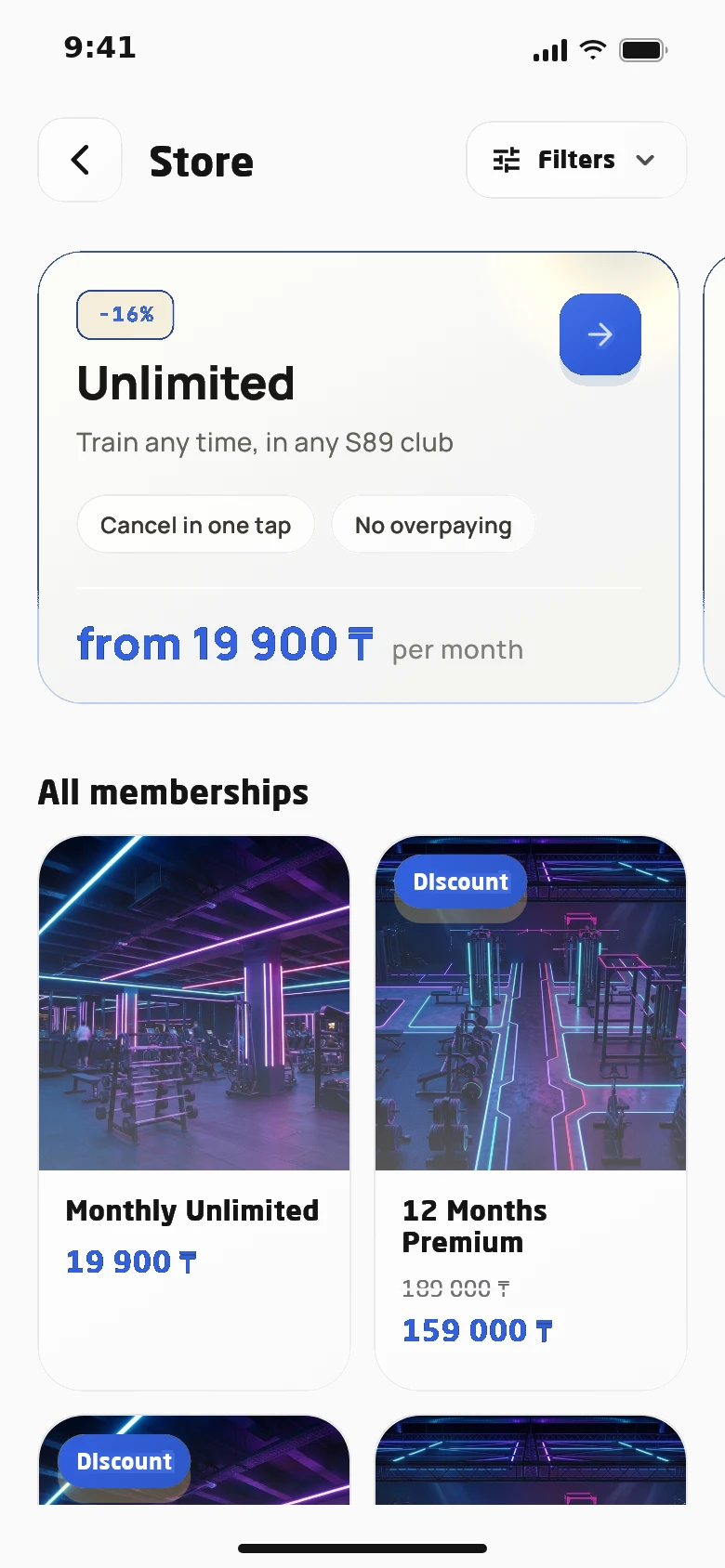
Swipeable collections per club, each with its own “what’s included” list, plus discounts and timed sales.

Shift till

Membership 3 moTerminal45 000 ₸

Swimming classCash24 000 ₸

Club changeLink2 000 ₸

Z report Shift closed

Selling from the console

A member comes in without the app — the online admin sells remotely: club terminal, cash or a link. X and Z shift reports.

Sales keep coming at night and at weekends
Every payment has a receipt and sits in one ledger
Refunds follow your rules, with no disputes

More rules that live in the card

Plans for a segment

A corporate or discounted membership is visible only to members of the right segment — everyone else never sees it in the store.

Visit limits

How many times a day, week and month a member may come in — the turnstile checks it at every entry.

Activation rules

On purchase, on the first entry, when the current membership ends, or on its own after a set number of waiting days.

Receipt for the right entity

A fiscal receipt for every payment under the right legal entity. Payments from the app, chat and console land in one ledger.

Better together

Group purchase: money is held on every participant’s card and charged only once the whole group has joined.

Retired plans

A membership leaves the store while existing holders keep training. The AI assistant explains its terms but never sells it.

One set of terms

Every channel reads the same card

The app, turnstile, AI assistant, console and reports all take membership terms from one card. So the price in chat matches the store, and the turnstile admits exactly as the plan says.

  • A purchased membership keeps the terms it was bought with
  • Club opens earlier — the AI assistant widens access hours for existing holders itself
  • A note for the AI assistant: who to offer the plan to and what to say about it
01 App Store, collections, purchase in a couple of taps
02 AI assistant Current price, terms and a purchase link
03 Turnstile Clubs, access hours, visit limits
04 Online admin Sales from the console and manual issuing
05 Reports Payment ledger and owner report

Selling in the club

The online admin sells from the console

A member walks in without the app — the online admin completes the sale remotely: a membership, a class, a club change or a product. Payment goes through the club terminal, in cash or by link.

  • Shift till: summary, X report and receipts
  • Close the shift with a Z report right from the console
  • A membership can be issued manually — with a log entry
  • Every sale lands in the payment ledger and the owner report
The online admin sells from the console

Applications

Freezes, transfers and refunds — by e-signed application

Anything that can’t be done with a button in the app, the member files as an application by link and signs with a digital signature from their phone. Staff see the status of every document and sign on the club’s side.

  • Freeze for a valid reason — even if the plan has no freezes
  • The membership is locked the moment a refund application is signed
  • Subscriptions are not refunded — the contract ends and payments stop
  • The member follows review stages on the same link
Freezes, transfers and refunds — by e-signed application

Autonomous club

A sale with no staff involved

  1. Client

    Writes on WhatsApp: “How much is an unlimited annual membership?”

  2. AI assistant

    Quotes the current price from the database and sends a link to the purchase page.

  3. Client

    Pays from the phone. The fiscal receipt arrives automatically and the membership gift is reserved at the club.

  4. System

    The member passes the gate and the membership activates on the first visit.

  5. System

    Access hours and clubs are checked against the membership terms at every entry.

  6. Owner

    Sees the overnight sales in the payment ledger and the report — no reconciling with the till.

A membership’s journey

From storefront to refund — no till, spreadsheets or manual reconciling.

  1. 01

    Setup

    Create a membership in the builder and decide where it shows and how it activates.

  2. 02

    Sale

    The member buys in the app, via a link from the AI assistant or through the online admin.

  3. 03

    Payment and receipt

    The payment is linked to the member and the fiscal receipt goes out automatically.

  4. 04

    Activation and access

    The membership switches on by its rule and the gate admits by its terms.

Also included

  • Group purchases “Better together”
  • Membership discounts and flash sales with a timer
  • Discount for following the club’s Telegram channel
  • Plans visible only to their segment
  • Separate in-app and in-club prices
  • Paid club changes and membership transfers
  • Paid freeze days beyond the limit
  • Freezes in the app and by request
  • Pre-purchased memberships activate at the gate
  • Visit limits per day, week and month
  • A payment link for any amount from chat
  • Manual membership issue, logged
  • Partner-bank installments
  • Club announcements on the request page

Questions about the module

Which payment methods are supported?

Online card payments, QR payments, partner-bank installments, and terminal or cash at the club through the online admin. All payments go into one ledger.

Can we sell without an admin at the club?

Yes. Members buy in the app or via a link from the AI assistant, and the membership activates by itself on the first entry.

What about monthly card billing?

That’s Subscriptions & installments: payment schedules, retries on decline, reminders, a debt payment link and access based on paid months.

Can members freeze their membership themselves?

Yes, in the app — within the freeze days included in the membership. For a valid reason they can file a request with a document online, even if the plan has no freezes.

How is a refund calculated?

From the amount paid, for unused days excluding freezes, minus the membership fee if the club charges one. The member sees the calculation before signing.

Works together with

See the system on your own club

In 30 minutes we walk through the member journey from buying a membership to entering the club, and quote a price for your club.

  • Demo with your memberships and prices
  • A plan for data migration and launch
  • Training for front desk and trainers
Number of clubs

We will call you back within a business day. You can also message us on WhatsApp or Telegram.

Book a demo