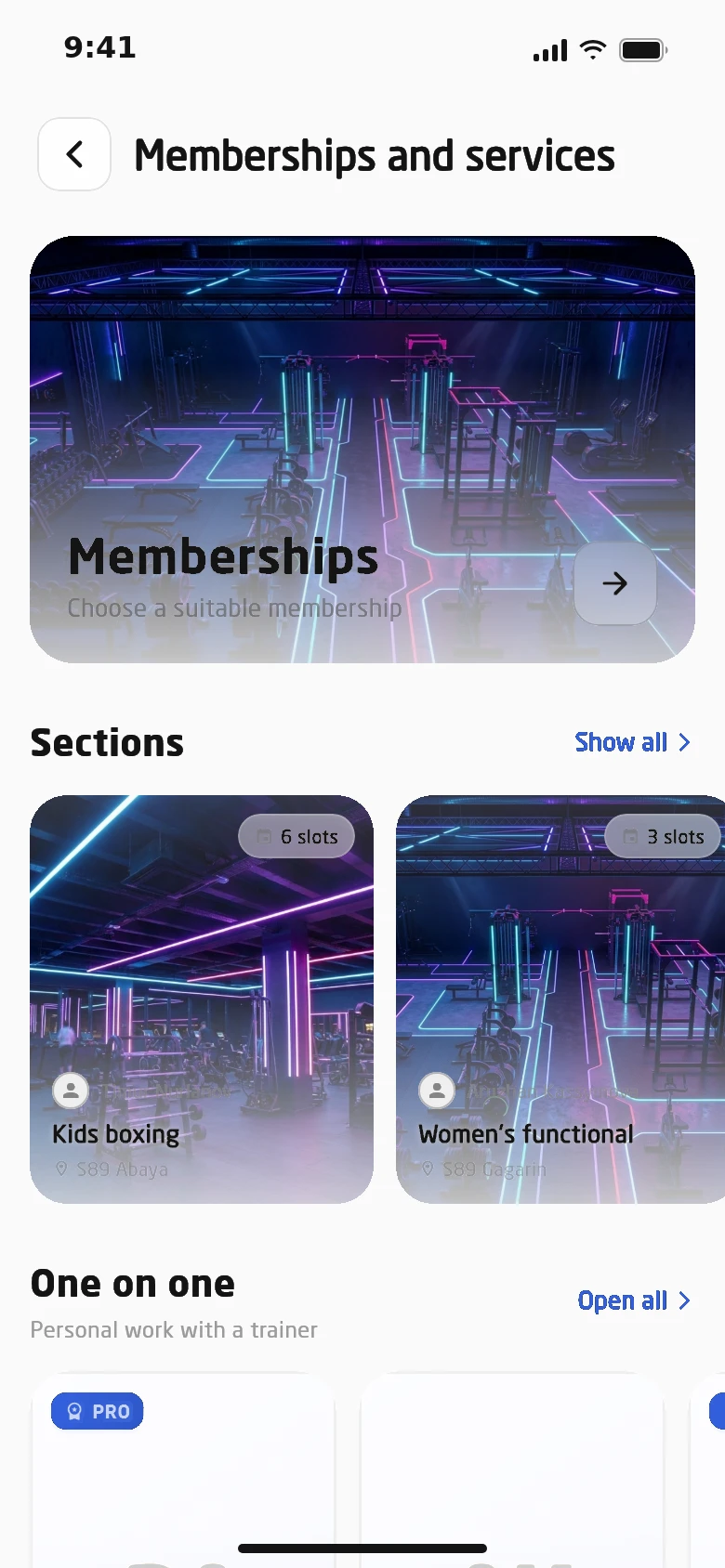
A parent buys a class membership in the app and signs consent with a digital signature, sessions are counted by the schedule, and the trainer marks attendance, reschedules sessions and lets kids without phones in. No admin needed, and the club sees how full each group is and what’s wrong with it.
A class membership is 12 sessions on the group’s schedule. Every night the system counts the sessions that took place, whether the child came or not, skips freeze days and moves the end date. No more “but he didn’t even go” arguments.
Kids’ boxing · ages 7–10Tue, Thu, Sat · 6:00 pm · Abay Ave club
EMCoach Erlan M.
November — December 2:05 am · nightly recount
MonTueWedThuFriSatSun
Counted
Missed, still counted
Freeze
Upcoming
Click a week to freeze it and recalculate the end date
Class membership12 sessions on schedule
Ended
Left0 of 12
1Nov 3
2Nov 5
3Nov 7
4Nov 10
5Nov 12
6Nov 14
7Nov 24
8Nov 26
9Nov 28
10Dec 1
11Dec 3
12Dec 5
Valid until
Dec 5
Counted
12 of 12
Class membership
24,000 ₸
Renew in the app
Last session — membership ends
The end date is the date of the last counted session. Renewal takes a tap in the app.
Classes without an admin
Everything that used to live
in a register and on the phone
12/12spots taken
AK
DM
TS
AB
EN
MZ
RK
AS
DO
NT
BE
IL
Waitlist
1ZA
2SM
3OK
Waitlist
No spots left — the parent joins the queue. When a spot opens, the trainer enrols the first in line.
{"freed":"A spot opened","enrolled":"Trainer enrolled from the waitlist"}
Age9 y.o.
Ages 5–718,000 ₸ not for this age
Ages 8–1222,000 ₸ not for this age
Ages 13–1724,000 ₸ not for this age
Adults28,000 ₸ not for this age
Age-based pricing
The app shows the price for the member’s age, and a child can’t buy an adult membership.
Legal guardian consent
Child: Alikhan, 9
Sign digitally Signed
App locked App unlocked
Parental consent, signed digitally
Until a parent signs consent, a minor can’t use the app. The document is stored on the child’s profile.
Boxing · 6 pm4/4 arrived
AKAlikhan K. 21 In
DMDana M. 22 In
TSTimur S. 23 In
ABAruzhan B. 24 In
Kids enter via the trainer
No phone? The trainer hands out a key and opens the turnstile for kids in their class from the trainer app.
18:12
Session 6:00–7:00 pm
Entry open
Entry only around the session
A class membership opens the turnstile for the session, not any time — the club doesn’t turn into after-school care.
Stretching and mobilityMon, Wed · 7:30 pm · adults
Month16,000 ₸all scheduled sessions
Single3,000 ₸one session
Group programs
Trainer programs with their own schedule and age-based prices: a monthly pass or a single session.
Category: Boxing
Tue, Thu, Sat · 6 pm12/12current
Mon, Wed, Fri · 5 pm9/12spots free
Sat, Sun · 11 am12/12full
АК Moved
Move to another group
Parents move their child to a class in the same category that still has free spots.
Classes · problems
Attending above the limit2
Broken membership end date1
Group occupancy86%
Boxing 7–10100%
Swimming 5–783%
Gymnastics75%
Membership checks
The report finds problems on its own — attending above the limit, a broken end date — before a parent complains.
Parents buy and sign everything online
Sessions counted by schedule — no disputes
Trainers run their groups without an admin
What else classes can do
Browse by category
Classes show up in the app by category — with the trainer, club, schedule, photos and a description from the trainer.
In-app payment
A membership or a single session — by card or payment QR. Members can cancel a class subscription right there too.
Reschedule and cancel
Trainers move or cancel a session from their app, and the class schedule keeps a history of changes.
Pause a class
Trainers pause a class and resume it later — the group and its subscribers stay put.
Attendance
Trainers mark who came to each session. Attendance is visible to the trainer and to the club in the class report.
Classes in every club
Each club has its own classes, trainers, prices and schedules, and the report brings them together.
Setup
Set up a class once — it runs itself
The club describes a class in the admin panel, and everything else follows from it: the price for each age, the membership end date, spots in the group. Parents and trainers take it from there in their apps.
Categories for in-app filters
A schedule with change history
Parental consent switched on for minors
01Trainer and clubWho runs the group and where sessions take place
02CategoryBoxing, swimming, gymnastics — for filters and transfers
03SessionsHow many sessions a membership includes, 12 by default
04ScheduleDays and times — the membership is counted from them
05Age-based pricesA separate price for each age group
06SpotsOnce the group is full, the waitlist opens
Class trainer
The group is run from the trainer app
Trainers see their students and memberships, mark attendance, reschedule sessions and enrol kids from the waitlist. Class freezes are agreed with them too, and the AI assistant points parents to the trainer.
Class subscribers and their memberships
Attendance for every session
Pause and resume a class
Age-based prices and class photos
Keys and turnstile for kids in their class
Analytics
Occupancy, revenue and group issues
The class report shows occupancy and revenue by class and trainer. Membership checks catch errors before a parent writes a complaint.
Overview, problems, classes, trainers and memberships
Automatic checks of memberships and classes
Arrivals during the session window
Membership details: sessions left
Autonomous club
How a class runs without an admin
Client
A mum buys 12 boxing sessions for her son and signs consent digitally.
Trainer
Hands out keys and opens the turnstile for kids without phones.
Trainer
Marks attendance and moves Saturday’s session to Sunday.
Trainer
Enrols a child from the waitlist into a freed-up spot.
System
Counts past sessions and recalculates membership end dates.
How we launch
Classes are set up in the admin and then live in the parent and trainer apps.
01
Classes
Trainer, club, category, number of sessions and age-based prices.
02
Schedule
Session days and times — the membership is counted from them.
03
Consent
We switch on parental consent signing for minors.
04
Trainers
Trainers get access to their classes in the app.
Also included
Classes across clubs in the network
Class categories for filters
Schedule with change history
Waitlist with trainer enrolment
Prices by age group
Membership and single visit
Move to another group in the same category
Parental consent with a digital signature
Sessions counted by schedule
Cancelling and rescheduling sessions
Class freeze via the trainer
Attendance marked by the trainer
Keys and entry for kids without phones
Trainer group programs
Occupancy, revenue and membership checks
Questions about the module
Why count sessions by schedule rather than visits?
It removes disputes: a session took place, so it counts. The membership ends on the date of the last session, and freeze days aren’t counted.
How does a child get into the club without a phone?
The trainer hands them a key and opens the turnstile from the trainer app. Classes are counted by the schedule, so nobody has to mark attendance.
How does a parent sign consent?
With a digital signature right from their phone. Until consent is signed, a minor can’t use the app.
Can a class be frozen?
Yes, via the trainer: they agree the freeze, and the AI assistant tells the member to message the trainer rather than file a request.